✚ Photo → cross stitch embroidery file
Your own picture becomes a cross stitch embroidery file for your machine – free, right in your browser, no sign-up. The picture stays on your device.
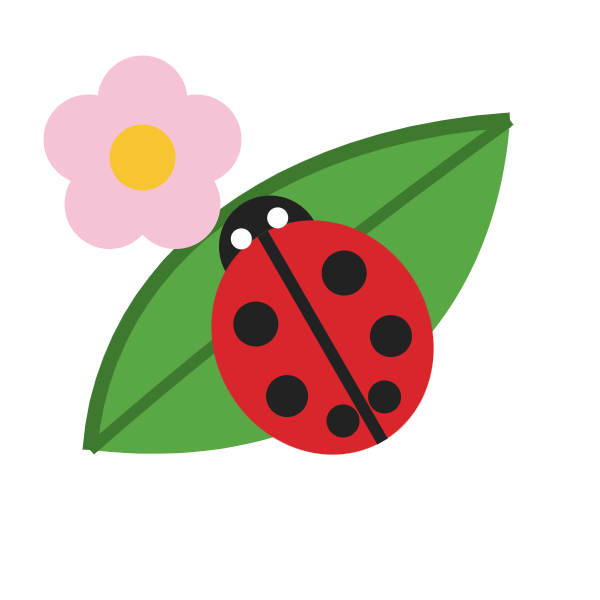
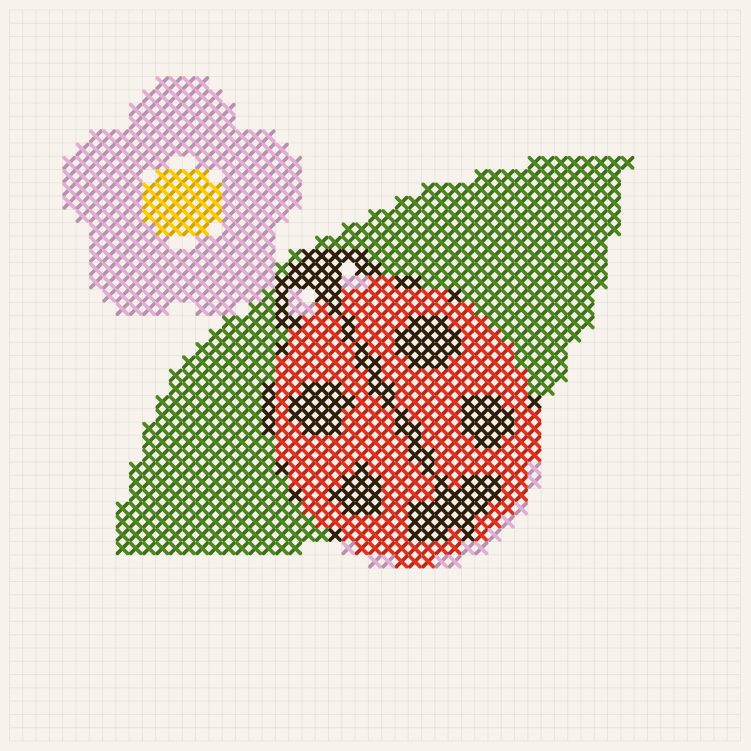
Settings: width 110 mm, cross 2.0 mm, 6 colors → 55 × 55 crosses, 86 × 74 mm, 5 thread colors, about 11 minutes of stitching. The white background was left out.
How it works – in 3 steps
- Click “✚ Convert your own picture” and choose a picture (or drag it into the window).
- Set the width, cross size and number of colors – the preview updates right away. Next to it you see the size, stitch count, stitch time and whether the design fits your hoop.
- Save as JEF (Janome, Elna) or DST, copy it to your USB stick and stitch. With “View in the gallery” you can check the finished file first.
Which pictures work best?
Good: pictures with clear areas and few colors – logos, animals, flowers, drawings, lettering, pixel art, children’s drawings.
Less suitable: photos with lots of fine detail or soft color gradients, e.g. landscapes or faces at a small size. The bigger you stitch, the more detail is kept.
What the settings do
- Width
- How wide the finished design will be (30–360 mm). Wider = more crosses = more detail.
- Cross size
- 1.6 to 3.0 mm. Small crosses look finer, big ones cover faster and stitch quicker.
- Colors
- 2 to 16 thread colors. Fewer colors = fewer thread changes and a calmer picture.
- Leave out background
- The color at the picture’s edge (usually white) is not stitched – the fabric stays free.
- Stitch twice
- Every cross is stitched twice and covers better.
- Smooth single crosses
- Single stray crosses take the color of their neighbors – fewer jumps, a calmer result.
💡 Tip: do a test stitch-out on scrap fabric first and use stabilizer. Thread colors are saved as JEF colors; Stickschau suggests a matching thread for each one.
⚖️ Please only use pictures you have the rights to – your own photos and drawings are ideal. Don’t stitch other people’s characters, logos or brands for sale.
Frequently asked questions
Is it really free?
Yes, free forever – no sign-up, no subscription and no watermark.
Is my photo uploaded?
No. The picture is only processed in your browser and never uploaded or stored anywhere.
Which embroidery machine do I need?
JEF is read by Janome and Elna machines. DST (Tajima) is a very common format that many embroidery machines read – check your machine’s manual for the formats it accepts.
How big can the design be?
From 3 to 36 cm wide. Stickschau shows whether the design fits your hoop – you choose the hoop at the top of the start page.
How long does stitching take?
That depends on size and colors. Stickschau shows an approximate stitch time; the sample above takes about 11 minutes.
Does it work on a phone?
Yes. You can pick a photo from your gallery and save the file. For copying it to the machine a computer is usually easier.
Stickschau also lets you view embroidery files (JEF, PES, VP3, HUS, EXP, DST) – and under Shops & groups you’ll find embroidery design shops and groups.